
Download uDraw Tablet – digital art, drawing tablet, creative tools, PC art, stylus input, drawing software
Overview
The uDraw Tablet is a specialized utility designed to bridge the gap between gaming peripherals and personal computing environments. Originally developed for use with the PlayStation 3, this device has been adapted to function as a functional drawing tablet for Windows-based PCs. Its primary purpose is to enable users to leverage the familiar stylus interface of the uDraw Tablet for digital creation on desktop systems, transforming it into a versatile tool for artists, designers, and hobbyists. By repurposing an existing hardware peripheral, the app offers a cost-effective solution for those seeking a compact and portable input device without investing in new equipment.
Target users include digital artists, illustrators, and creatives who value precision and tactile control when working on visual projects. The tablet serves as a practical alternative to traditional mouse navigation, particularly in applications requiring fine motor control such as sketching, coloring, and image editing. It is especially beneficial for users with limited workspace, as the device remains compact and lightweight. While the developer, uDraw, is known in the gaming peripheral space, no additional background information was provided about the company’s broader software development history. The app fills a niche in the productivity ecosystem by offering a streamlined method to repurpose legacy hardware for modern creative workflows.
Real-world use cases include on-the-go digital sketching, quick concept visualization, and integrating stylus-based input into standard desktop software. Its ability to function as a mouse-like input device enhances workflow efficiency, particularly for users transitioning from console-based creative tools to PC environments. The uDraw Tablet demonstrates how hardware versatility can be extended through software innovation, offering a unique value proposition within the digital art and productivity landscape.
Key Features & Functionality
- Simple Setup Process: Connecting the uDraw Tablet to a PC is designed to be straightforward. Users need only plug the USB device into a compatible port, download the required driver, and run the executable file. This minimalistic approach reduces friction for users with varying levels of technical experience.
- Mouse Functionality: The tablet operates as a direct replacement for a mouse, enabling cursor control with high precision. This feature allows users to navigate operating systems and applications seamlessly, making it ideal for tasks that demand accuracy and responsiveness.
- No Installation Required: The software is designed to be lightweight and portable. It does not require traditional installation procedures, eliminating the need for system-level permissions or complex configuration steps. This makes it accessible even to users unfamiliar with software setup processes.
- Minimal Disk Space Needed: The application occupies only 200 MB of storage, ensuring it does not impact system performance or consume valuable disk space. This is particularly beneficial for users with limited storage capacity or older devices.
- Great for Digital Artists: The device enhances the creative process by providing a natural, intuitive interface for drawing and editing. Artists can use the stylus to sketch, paint, or make adjustments in digital art software, achieving a more tactile and expressive workflow.
For example, a freelance illustrator can use the uDraw Tablet to quickly draft ideas during client meetings, while a student can sketch diagrams in a digital notebook without needing a full graphics tablet. The device’s compatibility with standard PC software ensures broad applicability across various creative tools.
Interface, UX & Performance
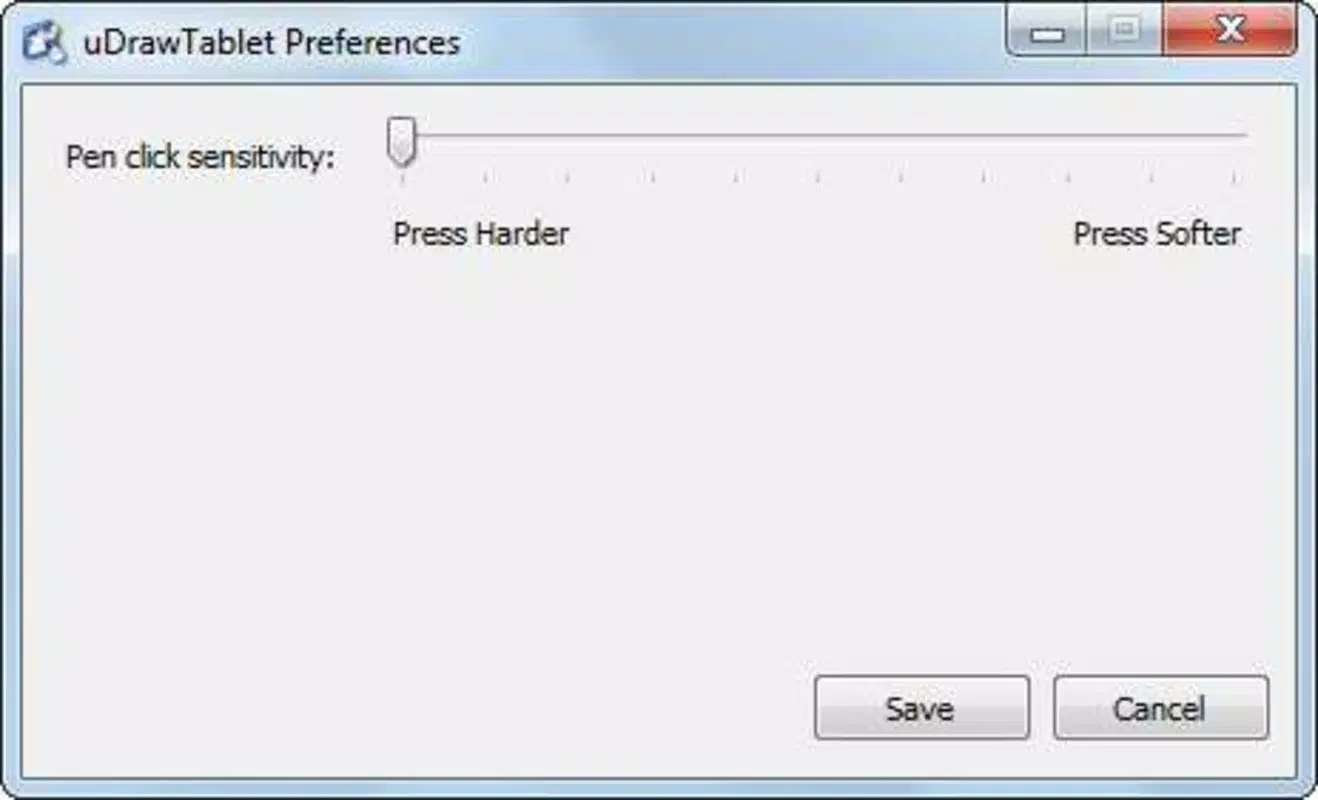
The user interface of the uDraw Tablet is intentionally minimal, focusing on functionality rather than visual complexity. It operates primarily through system-level integration, with no standalone dashboard or menu system. This design choice ensures that the device remains unobtrusive and efficient, allowing users to concentrate on their creative work without distractions.
Navigating the tablet’s functionality is intuitive, relying on standard mouse-like interactions. The stylus provides smooth cursor movement and responsive input, which is essential for precise digital work. Although the developer did not list formal performance metrics, the lightweight nature of the software suggests consistent responsiveness across different device categories, including budget and mid-range systems.
Stability appears to be a priority, as the app functions without requiring background processes or system resource-heavy operations. The lack of installation steps also contributes to a clean and reliable user experience. Users can expect consistent performance during short bursts of creative activity, though extended use may depend on the host system’s overall health and driver compatibility.
Platform Compatibility & Technical Requirements
The uDraw Tablet is compatible with Windows operating systems, as confirmed by the developer. It is designed to work with standard USB ports, ensuring broad hardware accessibility. The software version is 1.0.0, with a file size of 200 MB, making it suitable for systems with moderate storage capacity.
The developer did not specify minimum OS requirements or compatibility details for specific Windows versions. As such, users should ensure their system supports USB HID (Human Interface Device) functionality and has access to the necessary drivers. Compatibility with Windows 10 and Windows 11 is likely, but this was not officially confirmed. No information was provided about support for other platforms such as macOS or Linux.
Pros and Cons
- Simple and fast setup process
- Functions as a precise mouse alternative
- Minimal disk space usage (200 MB)
- Lightweight software with no installation required
- Offers a natural stylus input experience for digital artists
- No official support for macOS or Linux
- Specific OS compatibility details not disclosed
- Relies on third-party drivers for full functionality
- Limited to Windows-based systems
- May require manual driver updates for newer systems
FAQ
Is the uDraw Tablet free to download and use?
Yes, the uDraw Tablet is available at no cost. It is offered as a free tool for users who wish to repurpose their PlayStation 3-compatible tablet for PC use.
Can I use the uDraw Tablet on macOS or Linux?
The developer did not provide information about compatibility with macOS or Linux systems. The app is officially designed for Windows only.
Do I need to install any software to use the uDraw Tablet?
The software is lightweight and does not require a traditional installation process. Users are prompted to download and run an executable file, which activates the tablet’s functionality without system-wide changes.
What is the file size of the uDraw Tablet application?
The application occupies 200 MB of disk space, which is considered minimal for a utility of this nature.
How often does the uDraw Tablet receive updates?
Specific update frequency was not disclosed. Users should check the official developer page for the latest version and driver information.
Final Thoughts
The uDraw Tablet stands out as a smart, resource-efficient solution for digital creators seeking a portable and affordable drawing input method. By transforming a legacy gaming peripheral into a functional PC tool, it offers real value to artists, students, and hobbyists who prioritize flexibility and precision. Its lightweight design, minimal system requirements, and straightforward setup make it an accessible choice for users across different technical skill levels.
While its platform limitation to Windows and lack of detailed compatibility information may restrict broader adoption, the app’s core functionality remains strong and purpose-built. For anyone with a uDraw Tablet and a Windows PC, this tool unlocks new creative possibilities without the need for additional investment.
Download uDraw Tablet now


